New Feature: Group AHP
August 10, 2026 · Philip Healy
Decisions can now be made by groups, in two modes: workshop mode and survey mode.
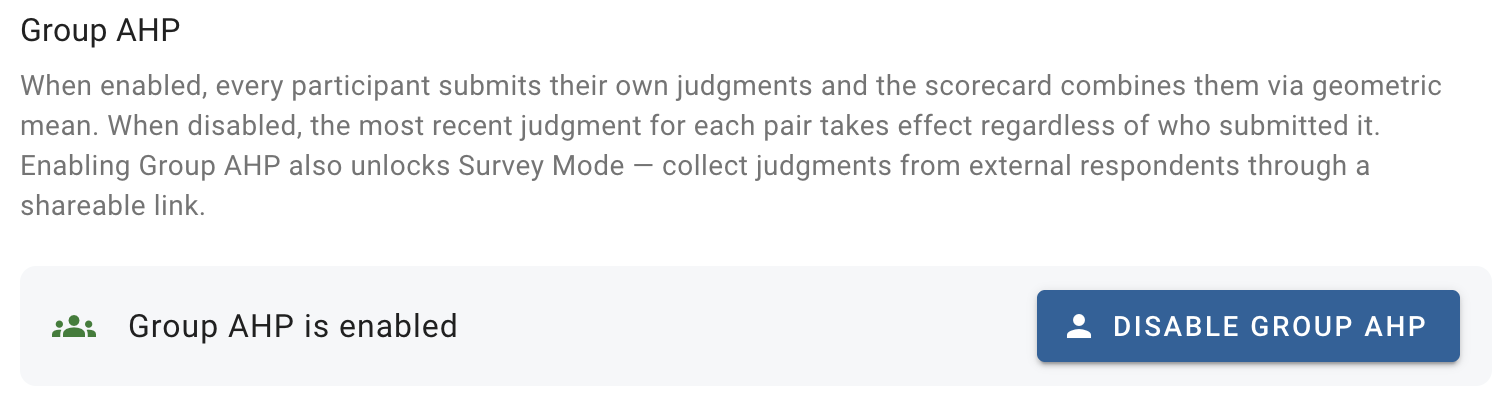
Before now, decisions in decisionpoint.io held a single set of scorecards. Multiple users could collaborate on a decision, but a judgment value entered for a pairwise comparison would overrule any entered previously.
With the new Group AHP functionality enabled, every participant submits their own set of judgments, and the app combines them into a group result. It comes in two modes, facilitating distinct ways for groups to make decisions: workshop mode, for small panels who work together and iterate towards consensus, and survey mode, for collecting independent judgments at scale through a shareable link.
Why Should Judgments Be Combined?
Most consequential decisions aren't made by one person. Committees select vendors, expert panels rank research proposals, and stakeholder groups weigh policy options. The usual way these groups combine their views is through debate, which can skew results based on seniority, personality type, and other factors. The application of the AHP in group settings is no different. For example, when The New York Times' Identity team chose an ID format, the whole team debated each pairwise comparison until they agreed on a single value to enter.
Group AHP offers something better: each person makes their pairwise comparisons independently, and the judgments are aggregated mathematically. For our implementation, we have used the standard method of combining AHP results: element-wise geometric mean. Everyone's view is counted, and disagreement is visible instead of buried. The loudest voice in the room carries no extra weight.
Workshop Mode: Panels Working Towards Consensus
To turn a decision into a group decision, open the decision's settings and enable Group AHP, then invite your participants as collaborators. The existing app roles apply; for example, collaborators with the participant role can enter judgments and view results but can't edit the hierarchy.
Each participant then works through the pairwise comparisons exactly as they would in a solo decision. The Comparisons page gains two tabs: MY JUDGMENTS, showing your own comparisons, and GROUP AGGREGATE, showing the combined value for every pair along with how many participants have voted on it.
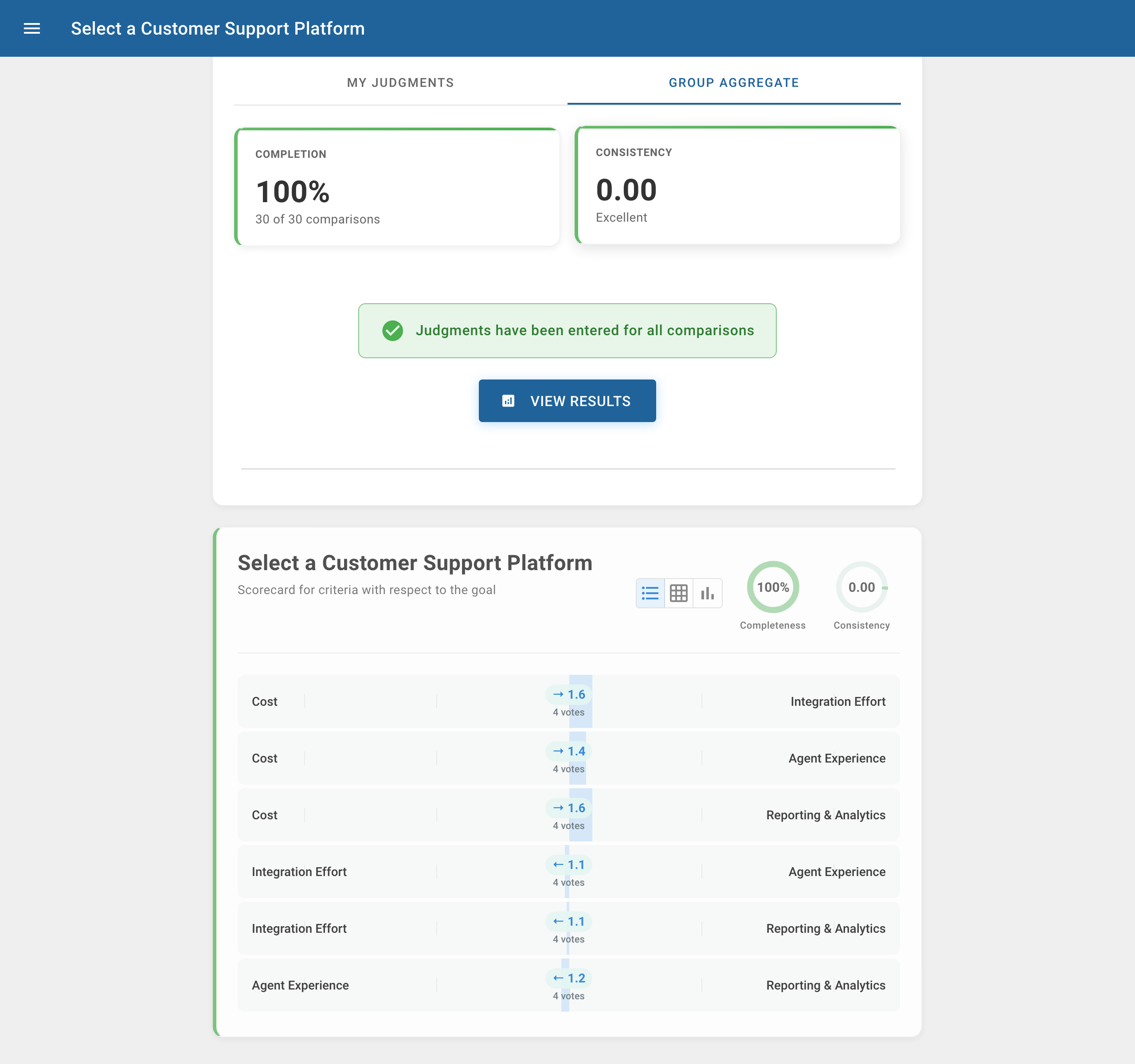
As the aggregate judgments are visible as they form, workshop mode is naturally iterative. A panel can enter a round of judgments, look at where the group diverges, discuss the pairs where views differ most, and revise. Clicking any pair in the aggregate view opens a breakdown of each participant's judgment, so disagreement is visible rather than silently averaged away.
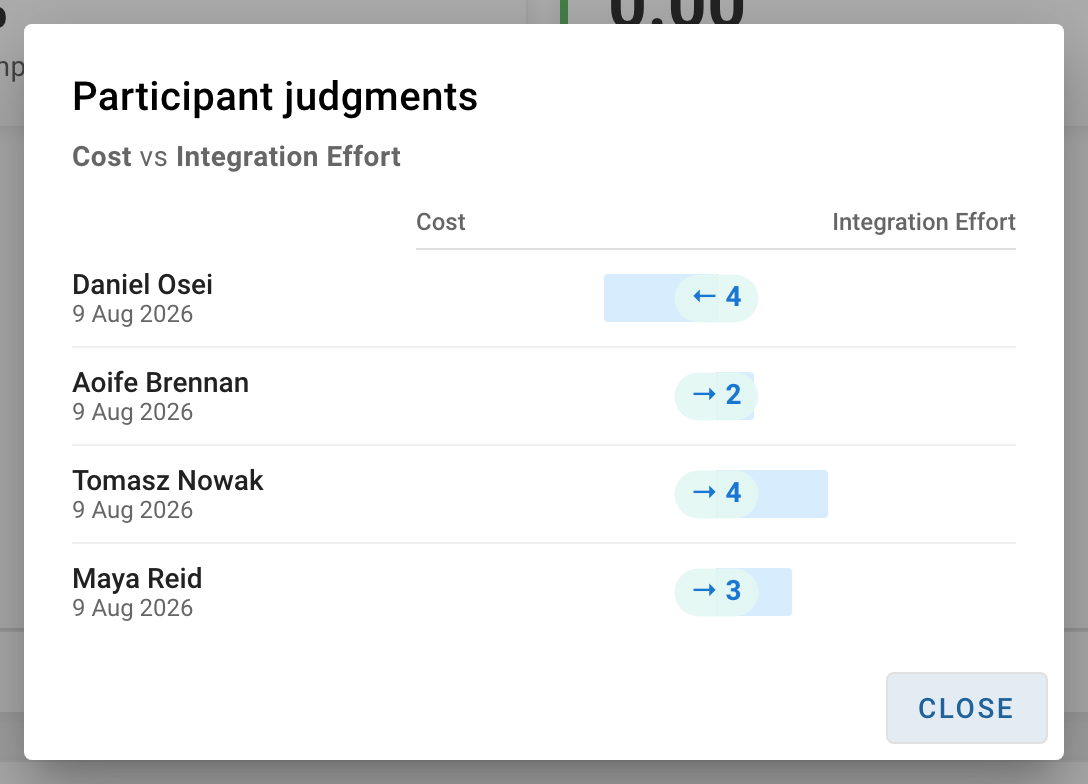
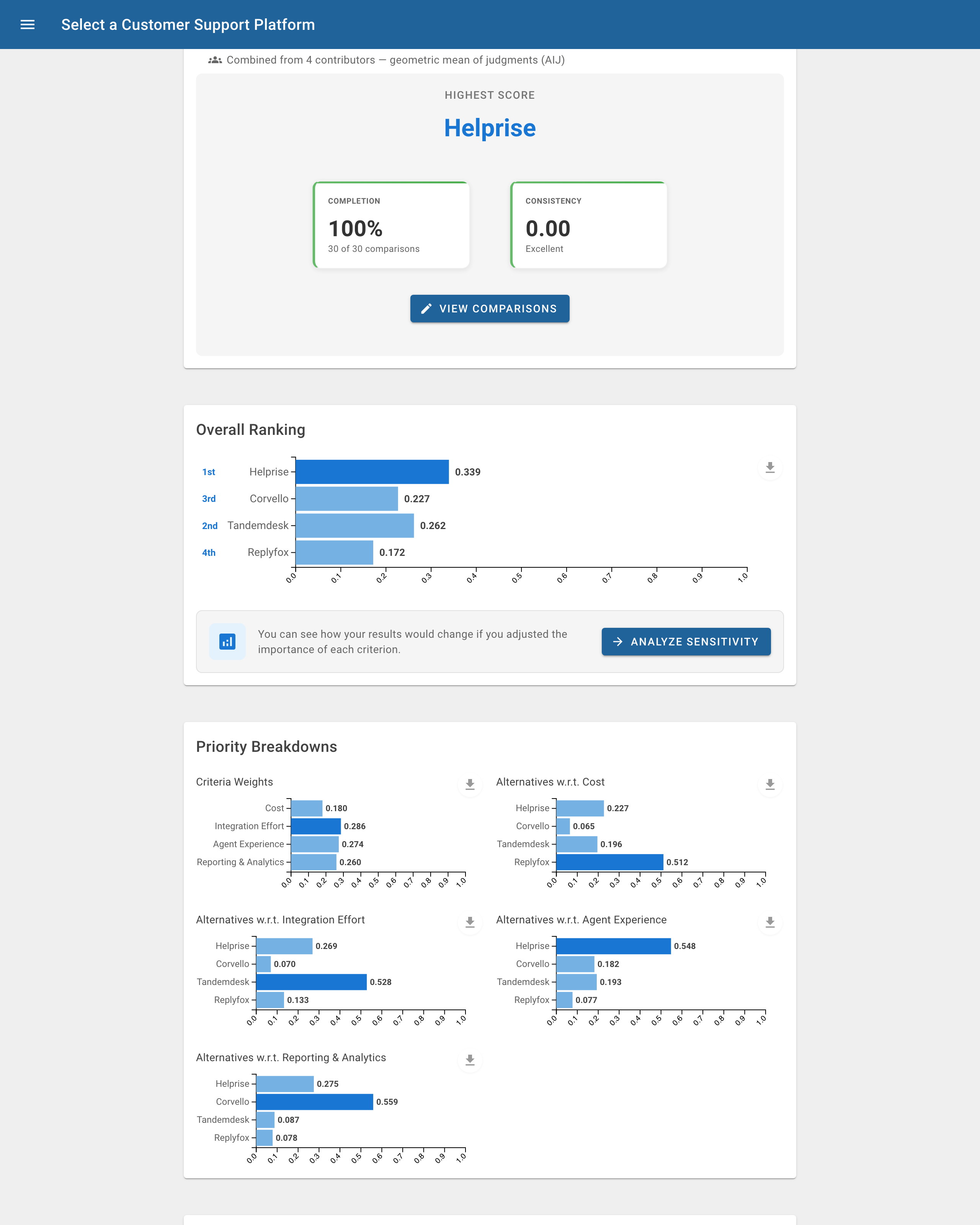
You can see a complete worked example in this public decision to Select a Customer Support Platform: a four-person leadership panel evaluates four support platforms, and each participant initially favours a different one. The geometric mean surfaces the option everyone ranked first or second. This is a result that none of the four would have reached by argument, and one that didn't require unanimity.
Enabling Group AHP is not a one-way door. If you later disable it for a decision, nobody's judgments are deleted. The decision simply switches back to the classic single-model view, where the most recent judgment for each comparison wins, whichever collaborator entered it. If you subsequently re-enable Group AHP, then the per-participant aggregation comes right back.
Survey Mode: Independent Judgments at Scale
Workshop mode assumes participants who sign in and work together. Survey mode handles the opposite situation: you want many independent judgment sets (such as a community consultation or a multi-expert study) where respondents shouldn't see each other's answers, and asking every respondent to register would kill your response rate.
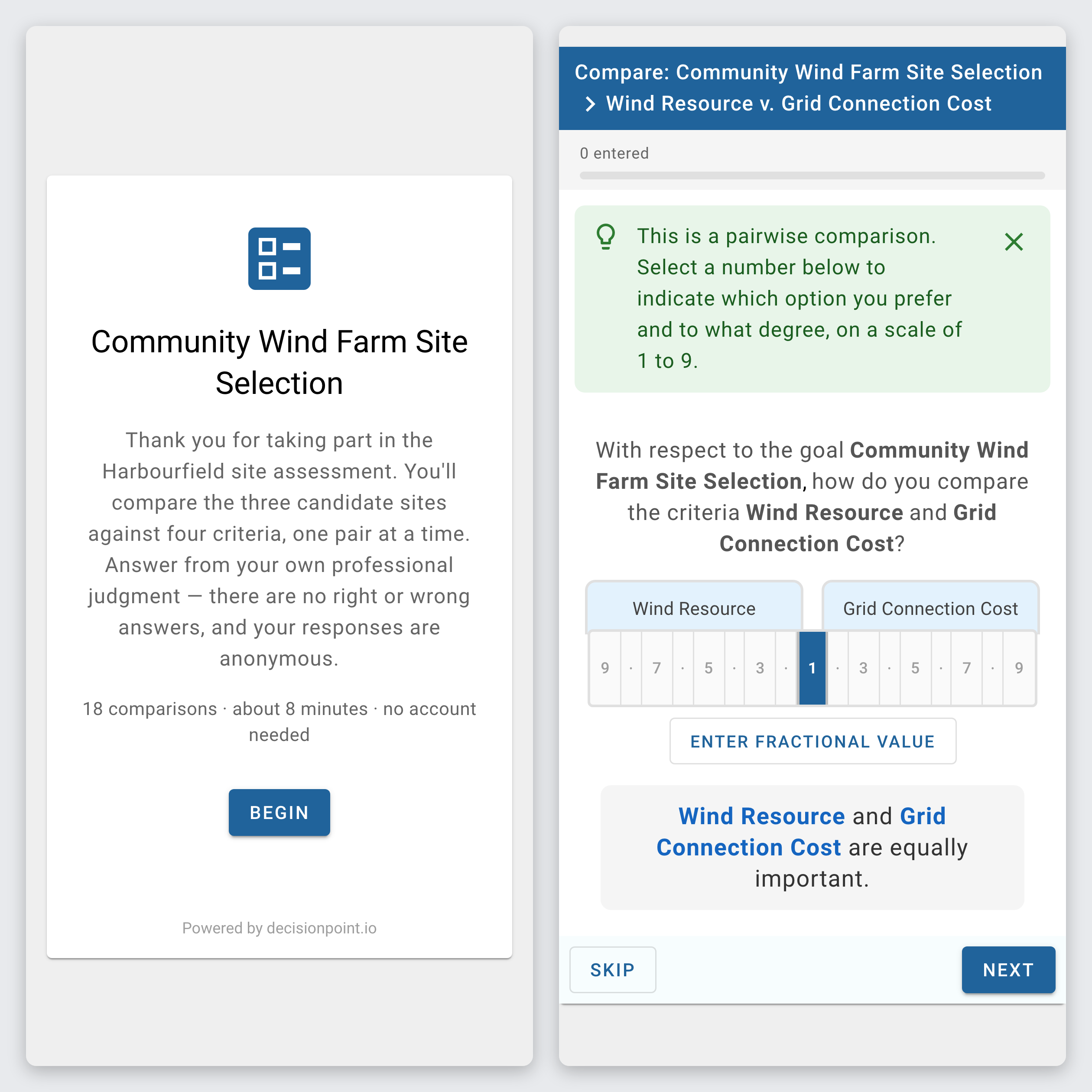
Enabling Group AHP unlocks a Survey section in the decision's settings. Create a survey, add an optional welcome and thank-you message, open it, and you get a single shareable link. Anyone with the link can respond anonymously, without signing in to the app. Respondents see a clean, mobile-friendly flow: a welcome screen showing what's involved ("18 comparisons · about 8 minutes"), then the comparisons one pair at a time, then a submit screen. They never see the hierarchy, the results, or anyone else's answers. Once submitted, answers are final.
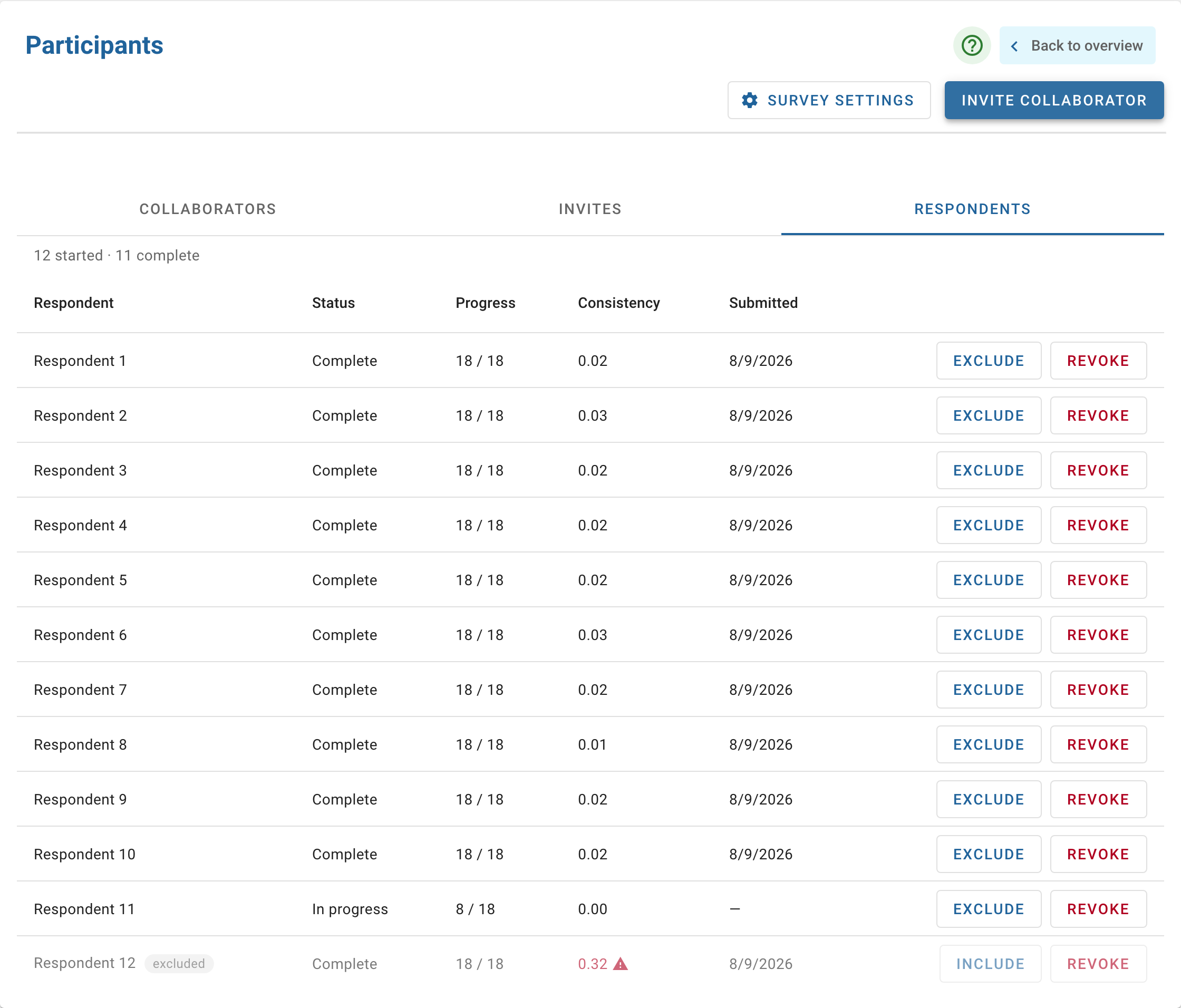
Judgment quality is handled with a light touch. If a respondent's answers contradict each other, they get a gentle prompt at submission pointing at the specific pairs worth a second look. However, submission is never blocked. On your side, the Respondents tab tracks each respondent's progress and consistency ratio as responses arrive, and flags anyone above the standard 0.10 threshold. You can exclude a respondent from the aggregate (reversibly, and visibly — nothing is silently deleted), and close the survey when you're done, freezing the link. For studies headed for publication, per-respondent consistency reports and the aggregated judgment matrices export to CSV.
Two details researchers will appreciate: the hierarchy locks automatically once the first response arrives, so criteria can't drift mid-study and invalidate earlier responses; and the results page states the method plainly: "Combined from N contributors — geometric mean of judgments (AIJ)". What you report is exactly what was computed.
The worked example here is a Community Wind Farm Site Selection: a twelve-member expert panel evaluates three candidate sites. The engineers favoured the windiest site, the ecologists the least sensitive one, and the community specialists a third. The aggregate ranked the windiest site last once environmental and community factors weighed in.
If you disable Group AHP after running a survey, the responses aren't deleted. Instead, they go dormant; the scorecards revert to your own team's judgments. The survey results remain viewable and exportable throughout, and if you re-enable Group AHP they flow straight back into the decision output.
Verification
During prerelease testing, the aggregation logic was validated against an independent implementation: NumPy's eigenvector method. A two-participant test decision with deliberately divergent judgments (direction reversals and a full ranking inversion) was computed by the app and separately via NumPy. Every aggregate pairwise value, consistency ratio, criteria weight, and final score matched exactly.
Availability
Group AHP, including survey mode, is available now as a premium feature — see the pricing page for details. Closing a survey and keeping your data always works, even if your subscription lapses. If you run group decisions (such as committees, expert panels, stakeholder consultations, and multi-expert studies) I'd love to hear how it works for you. Use the contact form or email me at philip.healy@decisionpoint.io.
— Philip
References
- Aczél, J. and Saaty, T.L. (1983). "Procedures for Synthesizing Ratio Judgements." Journal of Mathematical Psychology, 27(1), 93–102.
- Forman, E. and Peniwati, K. (1998). "Aggregating Individual Judgments and Priorities with the Analytic Hierarchy Process." European Journal of Operational Research, 108(1), 165–169.
- NumPy. "numpy.linalg.eig." NumPy Reference Manual.