ChatGPT App Launched
June 17, 2026 · Philip Healy
You can now run a full AHP decision lifecycle directly inside a ChatGPT conversation, which is linked to your decisionpoint.io account.
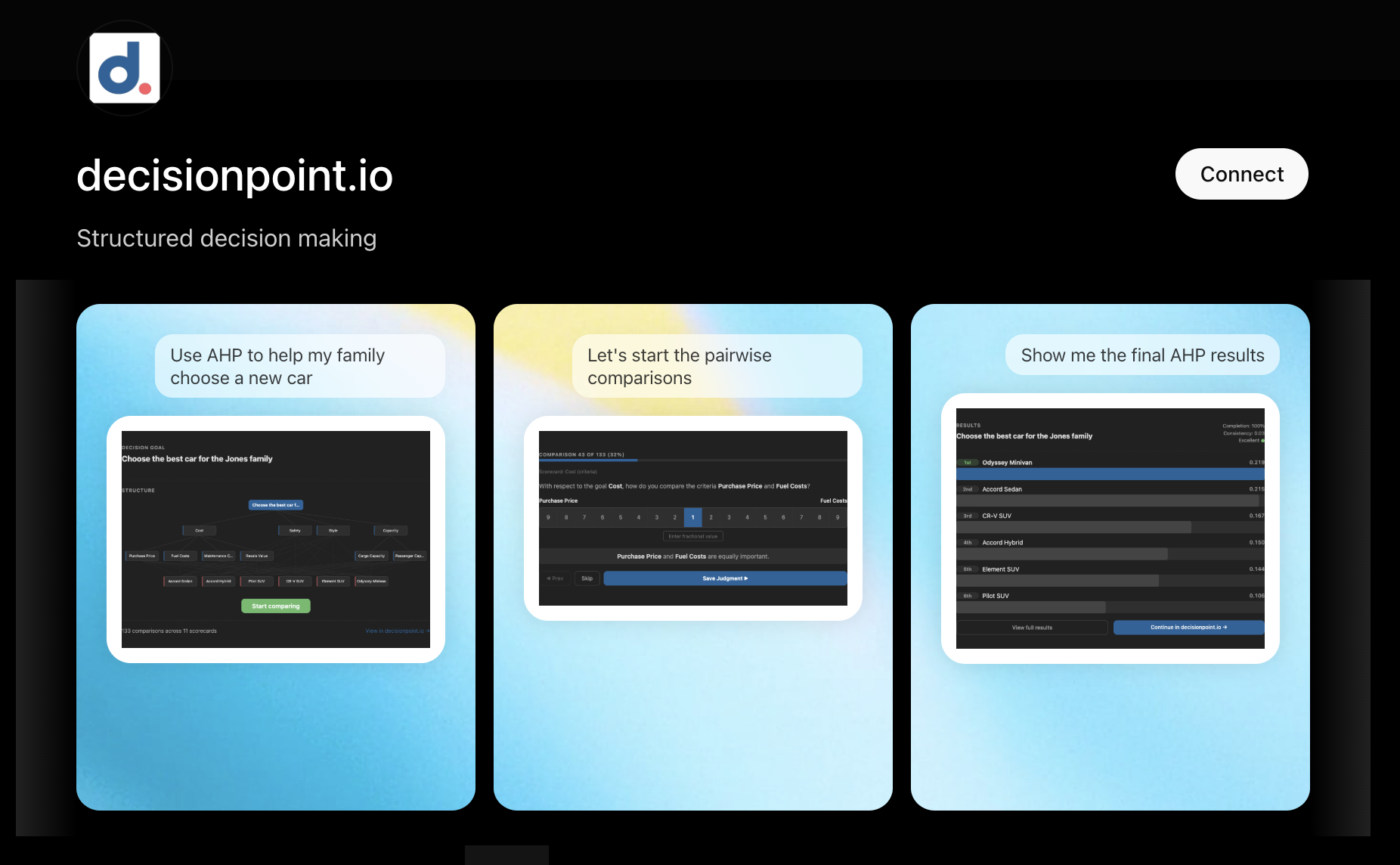
The decisionpoint.io app is now available at the ChatGPT App Store. This enables our users to run a full AHP decision lifecycle directly inside a ChatGPT conversation.
Why AHP and ChatGPT Fit Together
The AHP works by decomposing a fuzzy decision into a structured sequence: name the goal, list the things that matter, list the options, and answer a series of small pairwise questions. The conversational part of that — being asked "which of these matters more, and by how much?" — is exactly the kind of work a chat interface is good at. The part it isn't good at is exactly what decisionpoint.io provides: the eigenvector synthesis, the consistency checking, and the priority weights. The app exposes these to ChatGPT via the open Model Context Protocol.
LLMs on their own are surprisingly poor at multi-criteria decisions. Ask ChatGPT directly to compare four laptops across six criteria and you'll get a plausible answer, but the weights are pulled from thin air and the result is a one-shot guess rather than a reproducible analysis. The app changes that: every comparison is recorded against a real model, the math is exact, and you can return to the same decision later on the web app for the full visual experience.
Getting Started
Open the decisionpoint.io listing in the ChatGPT App Store and click Connect. You'll be asked to sign in with your decisionpoint.io account (Google, Microsoft, or email/password).
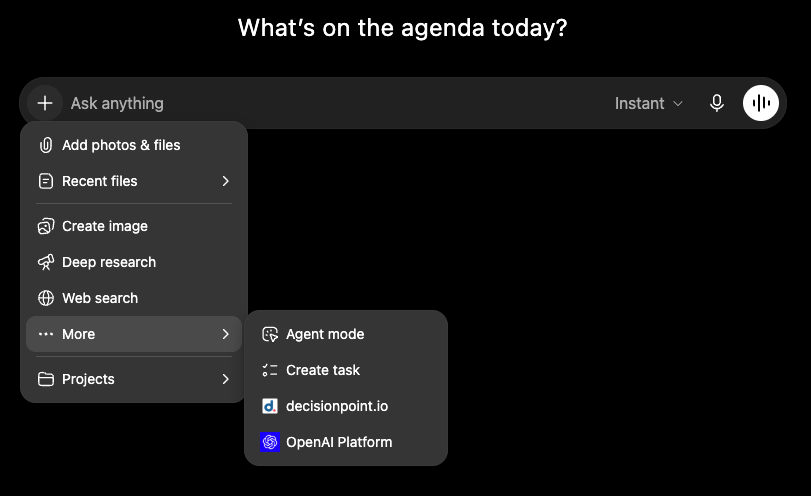
Once connected, you need to enable the app for the chat where you want to use it. Open the + menu next to the ChatGPT prompt, choose More, and select decisionpoint.io.
A Quick Walkthrough
Suppose you are trying to decide where to relocate. You open the conversation:
"I want to use the AHP to decide which city to relocate to."
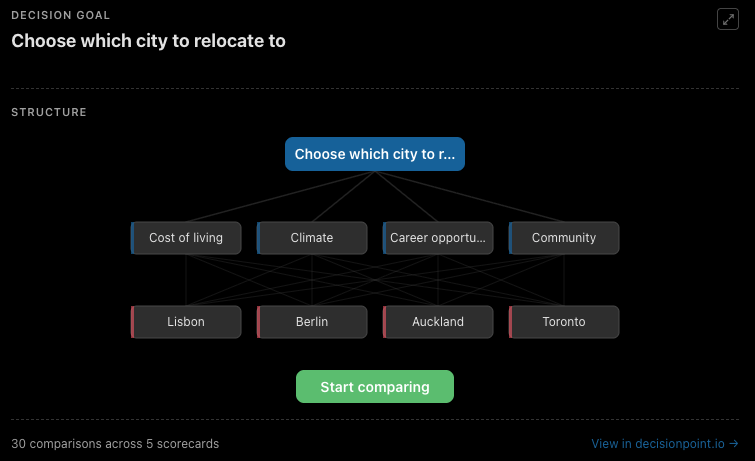
ChatGPT creates the process and walks you through the alternatives (you settle on Lisbon, Berlin, Auckland, and Toronto) and the criteria you care about (cost of living, climate, career opportunity, community). An inline overview widget is available that shows the structure of the decision: goal, criteria tree, alternatives, and a progress bar. Widgets don't always render automatically; if one doesn't show up, just ask (e.g. "show me the overview") and ChatGPT will display it.
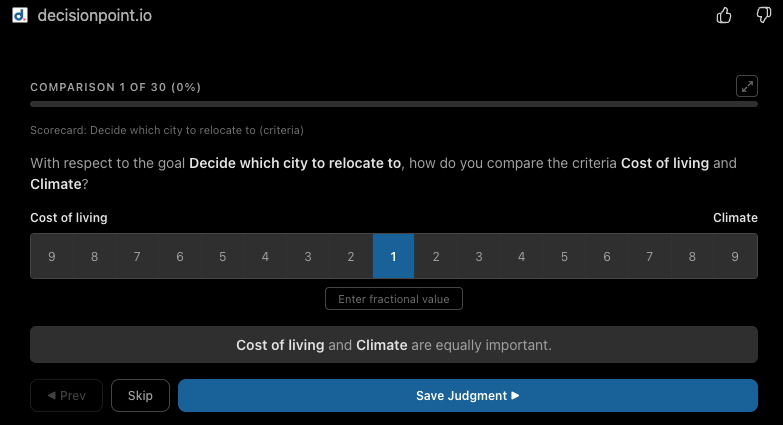
Once the model is built, ChatGPT starts the pairwise comparisons. It might ask "With respect to cost of living, how would you compare Lisbon and Berlin?" You can answer in plain language ("Lisbon is moderately cheaper") and ChatGPT will translate that into a value on the 1–9 AHP scale. If you'd rather move through the comparisons faster, the comparisons widget offers the same scale as a point-and-click interface.
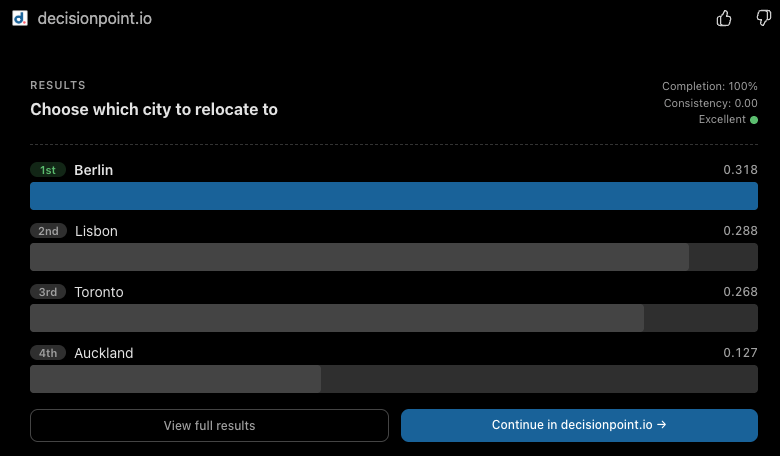
When all the comparisons are done, a results widget is available that renders a ranked chart of the four cities with their final priority scores. The whole decision is saved to your account, so you can open it later on decisionpoint.io to run a sensitivity analysis, share it with someone else, or work through any consistency issues.
Two Interfaces, Same Decision
A chat interface and a traditional web app have different strengths, and AHP exercises both.
Chat is good at the start. Instead of staring at an empty hierarchy and trying to remember what your criteria should be, you can describe the problem and have ChatGPT suggest sensible ones with reasons. It's also where considered judgments belong — phrasing a comparison in plain language ("Lisbon is moderately cheaper"), or pausing to research a value before you commit to it. The comparisons widget is for the opposite mode: when you already know how you want to rate the pairs, it cycles through them quickly with a point-and-click interface.
A point-and-click interface is better once a decision has shape. You can see the whole hierarchy at a glance, drag criteria to restructure, edit titles in place, and run sensitivity analysis to see how the result would shift if a weight changed. Collaboration is also natural in a UI in a way it isn't in a chat.
Because both surfaces sit on the same data, you can pick whichever fits the moment: start in ChatGPT, then open the same decision on decisionpoint.io once it has shape, or build the structure on the web app first and walk through the comparisons in chat.
What's Available in ChatGPT, What's on decisionpoint.io
The ChatGPT app covers the full basic AHP workflow (create decisions, define hierarchies, make comparisons, see results) and is free to use. The premium features that live on decisionpoint.io (sensitivity analysis, collaboration, sharing, guided consistency-fixing dialog) remain on the web app.
Try It
The app is in the ChatGPT App Store now. Sign in with your decisionpoint.io account (or create one with Google, Microsoft, or email) and ChatGPT will walk you through your first decision.
If you try the app, I'd love to read your feedback. Drop me a line using the contact form or email me at philip.healy@decisionpoint.io.
— Philip